
Marketing & tracking (Google & Meta Pixel)
5 min read
Azordi can fire your own analytics and advertising tags on your public booking page, so visits and confirmed bookings show up in Google Analytics, Google Ads and Meta as conversions. You add your IDs once in Business info — Azordi installs the tags for you, no code required.
Step by step
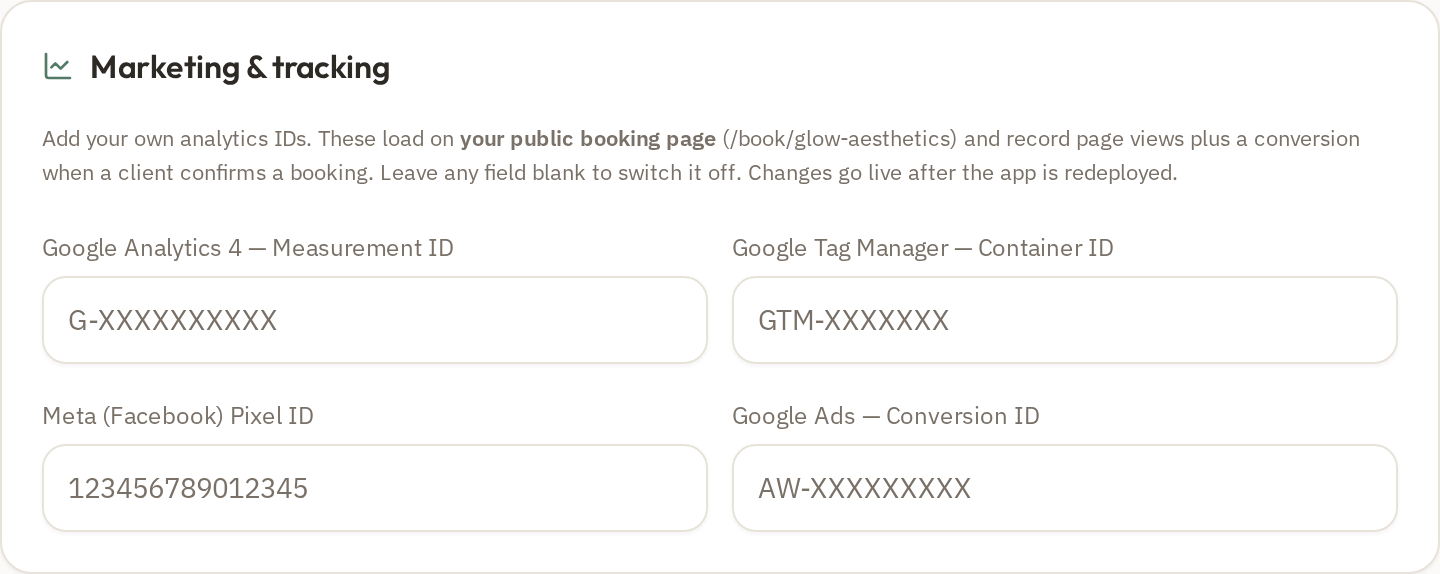
- 1In Azordi, open Setup → Business info and scroll to the 'Marketing & tracking' card (shown above).
- 2Paste any IDs you have: Google Analytics 4 Measurement ID (G-XXXXXXXX), Google Tag Manager Container ID (GTM-XXXXXXX), Meta (Facebook) Pixel ID (a 15–16 digit number) and/or Google Ads Conversion ID (AW-XXXXXXXX). Leave the rest blank.
- 3Click Save, then press Deploy (top right) — tags only go live on your booking page after a redeploy.
- 4To create a Meta Pixel: go to business.facebook.com/events_manager → Connect data source → Web, name it (e.g. 'Azordi – Your Clinic') and choose 'Install code manually' (Azordi installs it, so you can close the code screen). Copy the Pixel ID and paste it into the card above.
- 5To create a GA4 ID: go to analytics.google.com → Admin → Data streams → add a Web stream for your booking URL, then copy the 'Measurement ID' (G-XXXXXXXX).
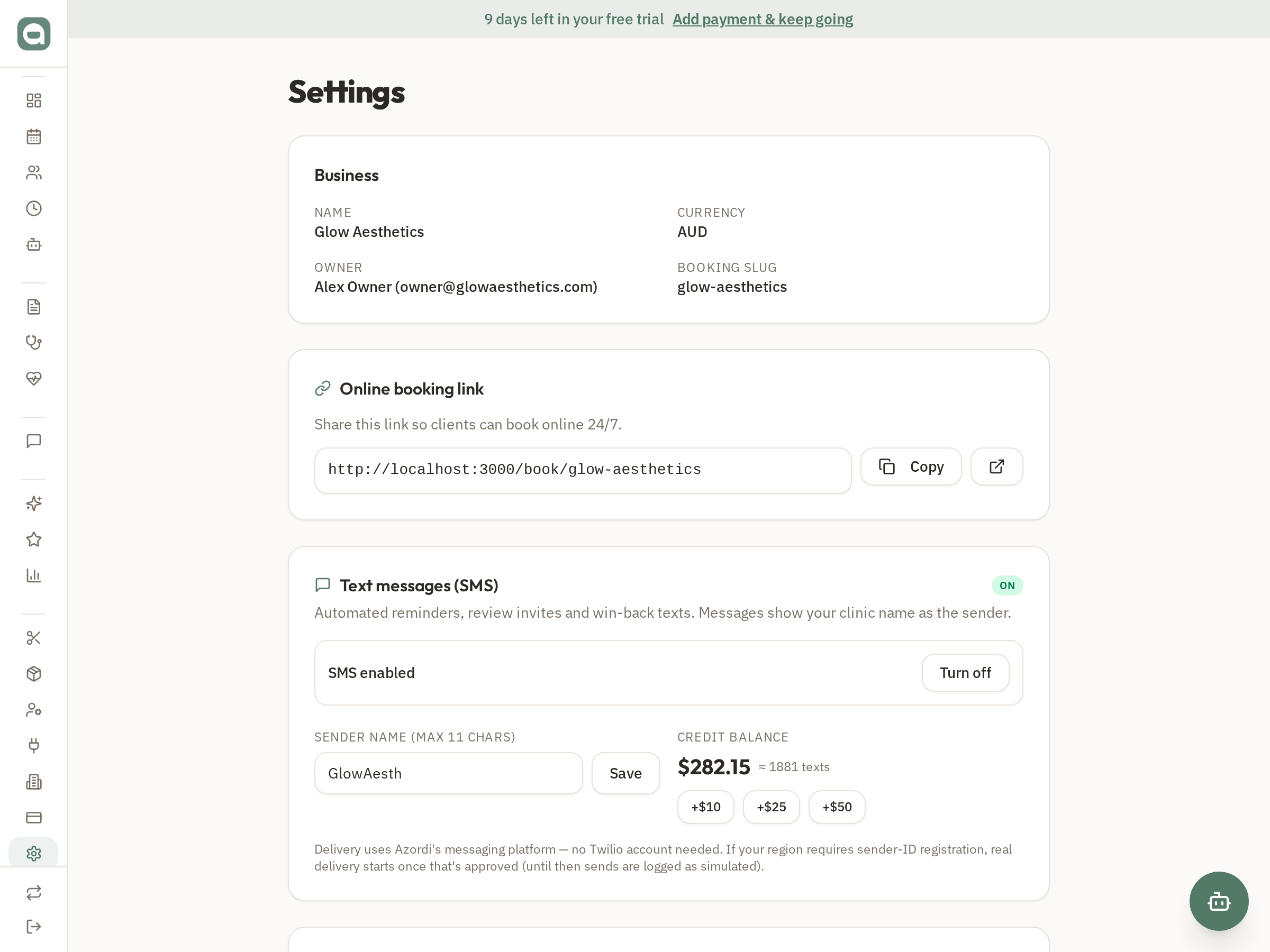
- 6Find your booking-page URL under Setup → Settings (shown below) — that's the page the tags track and the URL you enter into Meta/Google.
- 7For campaigns, add a source tag to the link you share, e.g. .../book/your-clinic?utm_source=instagram — Azordi uses this to attribute the visit/booking in its own Reports → Booking conversions.
Tips
- Azordi automatically fires a PageView on the booking page and a 'Schedule' conversion when a client confirms a booking — no extra setup.
- Turning on Meta's 'Automatic Advanced Matching' shares hashed contact details for better attribution — only do this because our Privacy policy discloses it; consider a consent notice too.
- You can watch it all in one place under Reports → Booking conversions, broken down by traffic source.